Register participants
Prepare participant registration form in ClimMob
In this section, you can add and manage the administrative questions that field agents will ask participants during registration at the start of the project. These questions are important for two main reasons:
- Administrative purposes: to keep a clear record of who is participating, where they live, and other key details that help organize and monitor the trial.
- Data analysis purposes: to allow deeper insights, for example, checking whether younger participants adopt a technology faster, or whether female participants show a preference for certain options.
Once you have defined the list of questions, they will be available through the ODK Collect app. Field agents can then enter participant information directly into the app during registration.
How-to in ClimMob:
-
On the project definition section, click Prepare participant registration form.
-
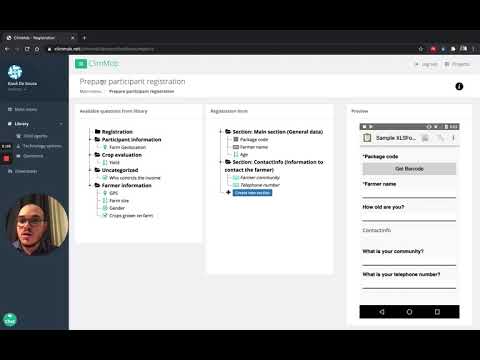
Drag the questions you want to include from the left panel (available questions from the library) into the middle panel (assessment form). A preview of the selected questions will appear on the right panel (preview)—scroll down to see all of them.
-
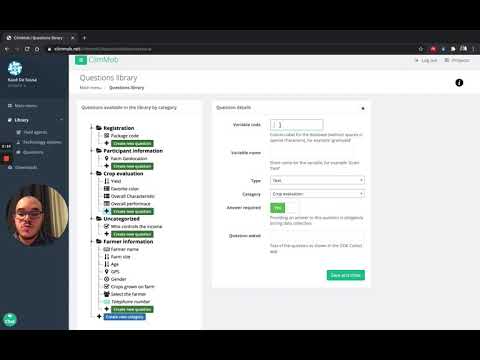
If the question you want is not available in the library, click Add new question and create it under the most relevant section.
-
The ClimMob library already includes a list of commonly used questions, which you can easily add to the registration form.
Video tutorials
Learn in the following video how to prepare the participant registration form and set up the randomization for the ClimMob project.
Learn how to add new questions to the library
More in-depth information regarding household and farm characteristics can be collected during registration using the pre-developed RHoMIS survey.